April 17, 2026 Manisha Maurya
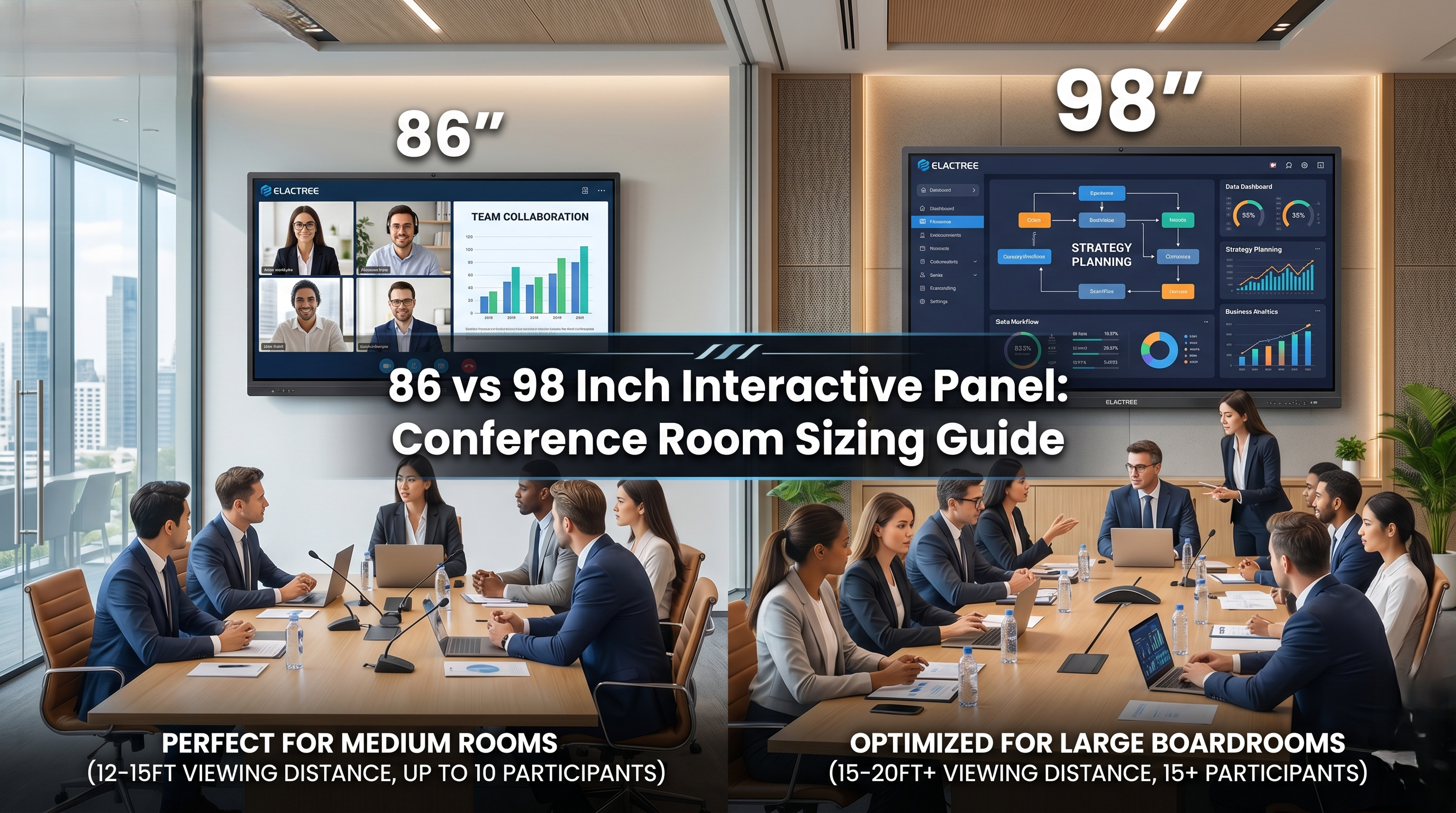
Upgrading your conference room technology is a major investment, but choosing the wrong display size can instantly ruin hybrid meeting equity. If you are stuck debating between an 86-inch and a 98-inch interactive panel, you are not alone. Here is how to ensure your team never squints at a spreadsheet again.
As hybrid work solidifies its place in corporate culture, reliable conference room AV solution has shifted from a luxury to an absolute necessity. For IT Managers, Facility Directors, and procurement officers, selecting the right central display is the most critical hardware decision in modern board room technology. Too small, and in-room participants disengage. Too large for a confined space, and it becomes visually overwhelming.
When evaluating an 86 vs 98 inch interactive panel for your Elactree deployment, the decision ultimately hinges on viewing distance, room dimensions, and the level of collaboration your teams require.
The 86-inch touch screen display has become the workhorse of corporate AV integration. It offers a massive digital canvas without dominating mid-sized environments.
When to Choose the 86-Inch:
Room Dimensions: Ideal for medium rooms measuring approximately 15 by 20 feet.
Audience Size: Comfortably serves 8 to 12 participants.
Viewing Distance: The 86-inch interactive whiteboard ensures text and presentations are perfectly legible for team members seated up to 15 feet away from the screen.
For standard meeting rooms, an 86-inch Elactree panel provides brilliant 4K resolution, ensuring that dense spreadsheets and detailed architectural plans remain crisp for everyone at the table.
As rooms get larger and the distance to the furthest viewer increases, an 86-inch screen begins to lose its effectiveness. This is where the 98-inch display becomes essential for maintaining hybrid meeting equity.
When to Choose the 98-Inch:
Room Dimensions: Designed for large boardrooms and training centers exceeding 20 feet in length.
Audience Size: Ideal for 15 or more participants.
Viewing Distance: A 98-inch display ensures clear visibility for participants sitting up to 20 feet away.
While a 98-inch display demands a larger physical footprint and careful planning regarding the display aspect ratio and wall capacity, it effectively replaces outdated projector systems with a vibrant, shadow-free, and highly interactive focal point.
Before finalizing your procurement, consider the physical logistics of your chosen interactive panel.
Screen Size Calculator Rules: A general rule of thumb in AV design is to measure the distance from the screen to the furthest viewer and divide that number by four. This gives you the minimum acceptable screen height required for legibility.
Structural Reinforcement: A 98-inch display is significantly heavier than an 86-inch model. It requires backing plywood or direct mounting to load-bearing structural studs; standard drywall cannot support the load safely.
Ingress and Delivery: Ensure your elevators, hallways, and doorways can physically accommodate the massive shipping crates associated with a 98-inch panel before delivery day.
Whether you deploy an 86-inch or a 98-inch panel, the goal remains the same: seamless, frictionless collaboration. Elactree panels provide the native 4K resolution and responsive touch technology that IT leaders demand to future-proof their conference spaces and drive measurable ROI on their hardware investments.
To calculate the correct display size, measure the distance from the screen to the furthest viewer. Divide that distance by four to determine the minimum acceptable screen height. A 98-inch interactive panel typically accommodates viewing distances up to twenty feet.
An 86-inch interactive panel is ideal for medium-sized conference rooms measuring roughly fifteen by twenty feet. It comfortably serves up to twelve participants, ensuring that text and presentations remain legible for team members seated within fifteen feet of the screen.
Yes, a 98-inch interactive panel usually requires structural wall reinforcement prior to installation. Because these commercial displays often weigh over two hundred pounds, standard drywall cannot support them. You must install backing plywood or mount directly to load-bearing structural studs.
Interactive panels offer superior brightness, native 4K resolution, and built-in collaboration tools compared to traditional projectors. They eliminate distracting shadows, require zero bulb replacements, and allow multiple users to annotate directly on the screen, drastically improving hybrid team engagement.
 Buying guides
Buying guides
Buying guides
 Buying guides
 Buying guides
