July 20, 2026 Manisha Maurya
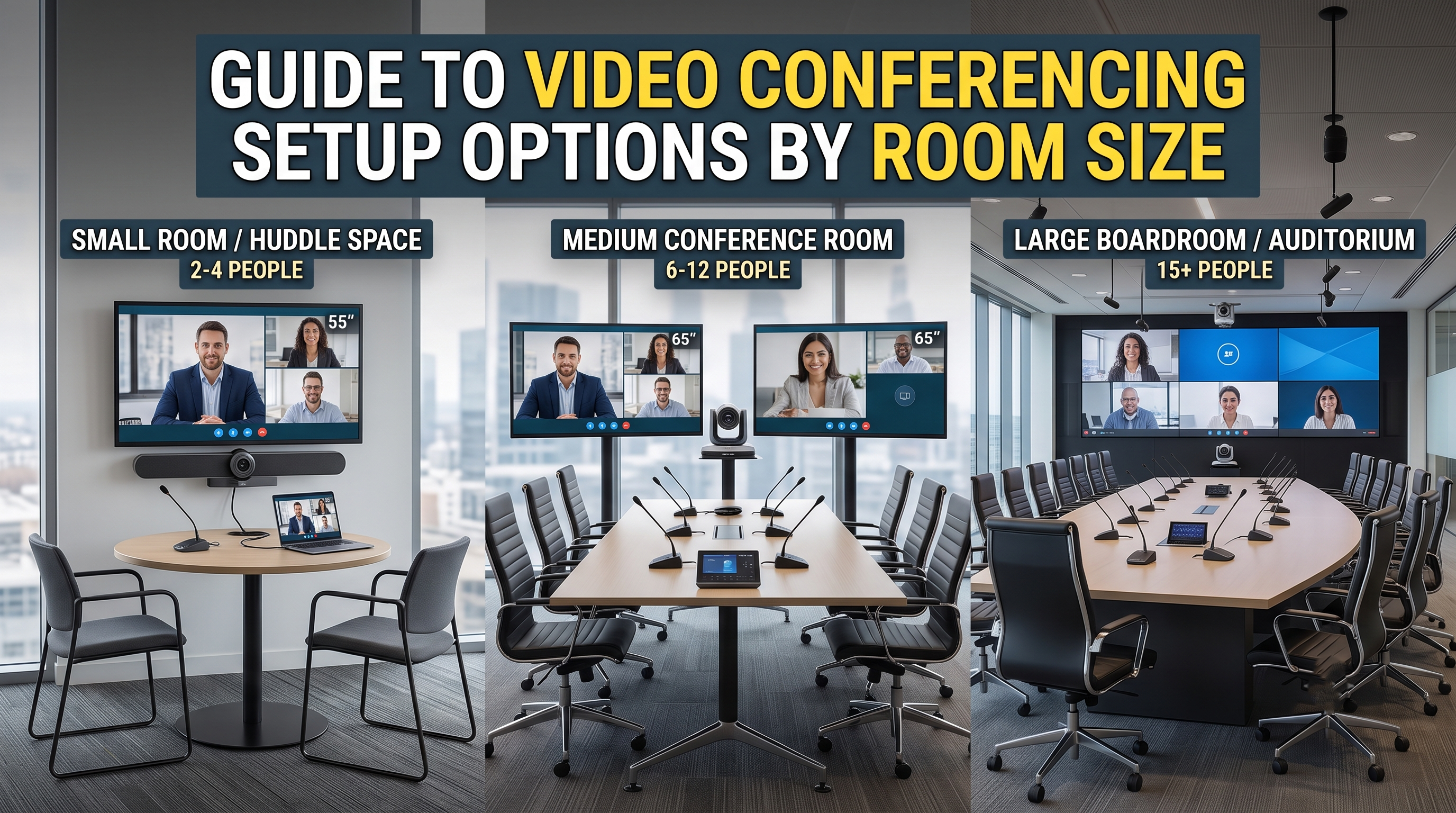
Deploying a reliable video conferencing setup across an organisation requires balancing hardware capabilities with physical space constraints. A setup that works efficiently in a small huddle space will fail to capture participants in a large boardroom. Conversely, installing complex, multi-component systems in a small meeting room leads to unnecessary capital expenditure and cluttered workspaces.
Corporate IT teams and facility managers in India frequently face the challenge of standardised deployment across diverse office layouts. Selecting the wrong camera field of view, inadequate microphone pickup ranges, or underpowered displays directly impacts meeting quality, leading to dropped engagement and fatigue during hybrid interactions.
To build an efficient workspace, decision-makers must treat the room size as the primary design blueprint. This guide breaks down the essential hardware requirements, acoustic considerations, and display configurations needed to build a dependable conference room video conferencing system tailored to specific room dimensions.
| Room Type | Average Capacity | Recommended Camera Type | Microphone & Audio Needs | Display Configuration | Typical Deployment Mode |
| Huddle Room / Space | 2–4 people | Ultra-wide angle (110°–120° FOV) fixed lens | Integrated all-in-one soundbar (3–4 metre pickup) | Single 43"–55" 4K Display | BYOD (Bring Your Own Device) or Dedicated Appliance |
| Small Meeting Room | 5–7 people | Wide-angle lens with digital zoom / ePTZ | All-in-one soundbar or desktop mic pod (4–5 metre pickup) | Single 55"–65" 4K Display | Dedicated Room System (Teams/Zoom Appliance) |
| Medium Conference Room | 8–12 people | Optical PTZ camera (minimum 5x–12x zoom) | Modular table-mounted mic pods or ceiling arrays | Dual 55"–65" or Single 75" 4K Display | Dedicated Room Computer / Native Compute |
| Large Boardroom | 13+ people | Multi-camera setup or tracking PTZ (12x+ optical zoom) | Scalable ceiling microphone arrays and external DSP | Dual 75"–86" Displays or LED Video Wall | Custom Integration / Dedicated Compute |
A modern video conferencing setup is an integrated ecosystem of audio, video, display, and computing hardware designed to facilitate real-time collaboration between in-person and remote participants. Unlike legacy hardware that relied on complex, proprietary ISDN lines, contemporary systems operate over standard enterprise network infrastructures using Internet Protocol (IP) bandwidth.
The primary purpose of this infrastructure is to support hybrid meeting room technology, allowing teams to connect via platforms such as Microsoft Teams, Zoom, Google Meet, or Cisco Webex. The core setup consists of a high-definition camera, a microphone array capable of filtering background noise, a loudspeaker system, a computing unit (either an integrated Android appliance or a dedicated Windows PC), and an interactive or commercial-grade viewing display.
When planning a meeting room AV setup guide for an office, four technical factors dictate the performance of the system, regardless of the room size:
Camera Field of View (FOV) and Zoom: A wide FOV (110° or higher) is necessary when participants sit close to the camera, ensuring individuals at the edge of the table remain visible. For deeper rooms, optical zoom is required to capture faces at the far end without pixelation.
Audio Pickup Range and Echo Cancellation: Microphones must feature an effective pickup radius that covers every seating position. Acoustic Echo Cancellation (AEC) and digital signal processing (DSP) are critical to eliminating ambient office noise, HVAC hums, and audio feedback.
Display Real Estate: The choice between single and dual displays depends on the nature of the meetings. Dual displays allow dedicated space for remote participant video feeds on one screen while maintaining clear visibility of shared presentations or documents on the other.
Platform Ecosystem Compatibility: Hardware generally runs in either native mode (locked into a specific application like Zoom Rooms or Microsoft Teams Rooms) or Bring Your Own Device (BYOD) mode, where the room hardware connects to a user’s laptop via a single USB-C cable.
Huddle spaces are compact areas designed for ad-hoc collaborations and quick sync-ups. Because participants sit close to the display wall, space optimization is the main priority.
Camera Needs: A fixed-lens camera with an ultra-wide field of view ($110^\circ$ to $120^\circ$) is necessary. This ensures that even those sitting nearest to the screen are captured without distortion.
Audio Setup: An all-in-one USB video soundbar combining the camera, microphones, and speakers is the most efficient choice. The integrated microphone should support a pickup range of up to 3 metres.
Display: A single 43-inch to 55-inch commercial-grade 4K display provides adequate screen real estate.
Deployment Note: BYOD configurations work best here, allowing users to plug their laptops directly into the soundbar using a single cable to start meetings instantly.
Small rooms are slightly deeper than huddle spaces, requiring more precise audio positioning and basic tracking capabilities.
Camera Needs: An electronic Pan-Tilt-Zoom (ePTZ) camera with a $90^\circ$ to $120^\circ$ FOV. Systems featuring auto-framing software help by automatically adjusting the frame to include everyone present in the room.
Audio Setup: An advanced all-in-one soundbar with a 4.5-metre pickup range, or a dedicated wallbar paired with a single tabletop extension microphone pod to handle peripheral seating.
Display: A single 55-inch to 65-inch 4K commercial display ensures text on slides remains legible from the back row.
Deployment Note: A dedicated room system (Android-based appliance bar) controlled via a tabletop touch panel reduces start-up delays and ensures a consistent user experience.
Medium rooms are the standard workhorses of enterprise offices. They require modular hardware components because all-in-one soundbars cannot cover the physical distance of the room effectively.
Camera Needs: A true mechanical PTZ camera with at least 5x to 12x optical zoom. Optical zoom ensures that when framing a speaker at the far end of the table, the image quality does not degrade.
Audio Setup: Multiple daisy-chained tabletop microphone pods or a beamforming ceiling microphone array. Speakers should be mounted on either side of the display wall to project audio clearly down the length of the table.
Display: Dual 55-inch or 65-inch displays are recommended. One screen displays the active gallery grid of remote attendees, while the other shows the shared content.
Deployment Note: A dedicated Windows or Android compute unit housed in an AV rack or behind the display is ideal, managed by a central tabletop controller.
Large boardrooms require bespoke system designs where audio and video components are treated as separate, scalable modules linked through an external Digital Signal Processor (DSP).
Camera Needs: A multi-camera setup or an intelligent dual-camera tracking system. These systems use speaker-tracking technology, switching cameras automatically based on which microphone detects active speech.
Audio Setup: Multiple ceiling-mounted beamforming microphone arrays paired with dedicated amplifier units and flush-mount ceiling speakers. This configuration ensures even sound distribution and keeps the conference table free of wires.
Display: Dual 75-inch to 86-inch commercial displays, or a fine-pitch direct-view LED video wall for larger presentation environments.
Deployment Note: Professional integration is required. The system must interface cleanly with lighting controls, automated blinds, and corporate network security protocols.
The overall financial investment for a video conferencing setup varies widely depending on room scale, brand choices (such as Logitech, Poly, Cisco, or Jabra), and installation complexities.
Huddle Rooms: Typically range from ₹60,000 to ₹1,500,000, depending on whether consumer displays or commercial-grade panels are deployed alongside the video bar.
Small to Medium Rooms: Generally range from ₹1,50,000 to ₹4,50,000. Costs increase based on the choice of dedicated compute units and touchscreen controllers.
Large Boardrooms: Budgets start from ₹6,00,000 and can exceed ₹15,0,000 for highly customized implementations involving ceiling mic arrays, professional audio matrices, and multi-display configurations.
Procurement Note: Organizations should request itemized quotes detailing hardware, mounting kits, active optical HDMI/USB cabling, annual platform licensing fees, and annual maintenance contracts (AMC). Apparently similar quotations often differ because one includes onsite engineering support while the other covers hardware delivery only.
The ideal video conferencing setup depends on matching hardware specifications to the physical dimensions of the room. For spaces hosting fewer than 7 people, prioritizing all-in-one video bars avoids unnecessary setup complexity and control equipment costs. For larger corporate conference spaces and boardrooms, investing in modular systems with dedicated optical PTZ tracking cameras and distributed microphone networks is essential to maintaining professional communication quality.
While a home television will display video, it is not recommended for professional rooms. Consumer TVs lack the cooling mechanisms required for long operational hours, do not feature RS-232 or LAN control for automated AV systems, and generally have low-nit glossy panels that reflect room lighting, causing visibility issues.
Optical zoom uses physical glass lenses to adjust the focal length, maintaining full image resolution as it zooms in on a participant at the back of the room. Digital zoom crops the existing image frame, reducing pixel density and resulting in a grainy or blurry picture when used excessively.
For a standard 12-seater rectangular table, you typically require two high-quality tabletop microphone pods spaced evenly, or a single advanced ceiling array with multiple software-controlled pickup zones covering a radius of at least 5 to 6 metres.
A Bring Your Own Device (BYOD) setup allows users to bring their own laptops into a meeting room and connect to the room’s camera, speakers, and display via a single USB connection. It is highly suitable for huddle spaces where users regularly switch between different meeting applications like Zoom, Teams, and Webex.
Dual displays separate the visual data layout during a call. One screen stays dedicated to displaying the presentation or whiteboards clearly, while the second display shows the video grid of remote participants. This layout mimics face-to-face communication more accurately.
It is not mandatory, but assigning static IP addresses or DHCP reservations is highly recommended for dedicated room systems. This ensures smooth remote monitoring, firmware deployment, and consistent connection status within the corporate network dashboard.
Even the most advanced microphones cannot cancel out heavy room reverberation or echo caused by bare glass walls and hard floors. Adding acoustic paneling, carpets, or blinds reduces sound reflections, ensuring that the voice transmitted to remote participants sounds clear and natural.
Most enterprise-grade AV hardware has a functional life cycle of 4 to 6 years. While the physical cameras and speakers can last longer, the internal computing units or Android appliances eventually require updates or upgrades to stay compatible with evolving software platforms.





 Buying guides
 Buying guides
 Buying guides
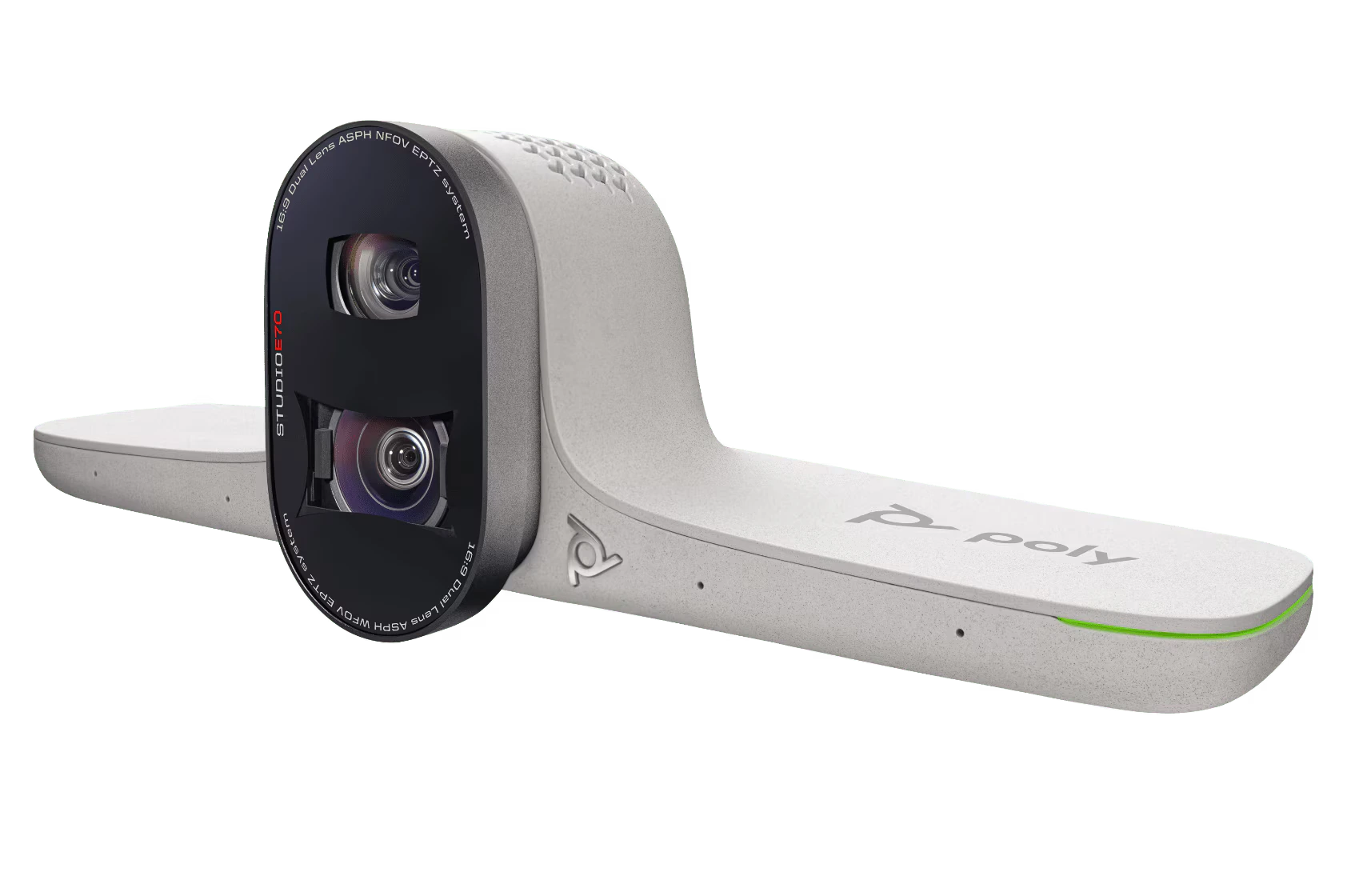
The Poly Studio E70 is an intelligent smart camera designed for large meeting rooms and boardrooms. It combines dual 20MP...
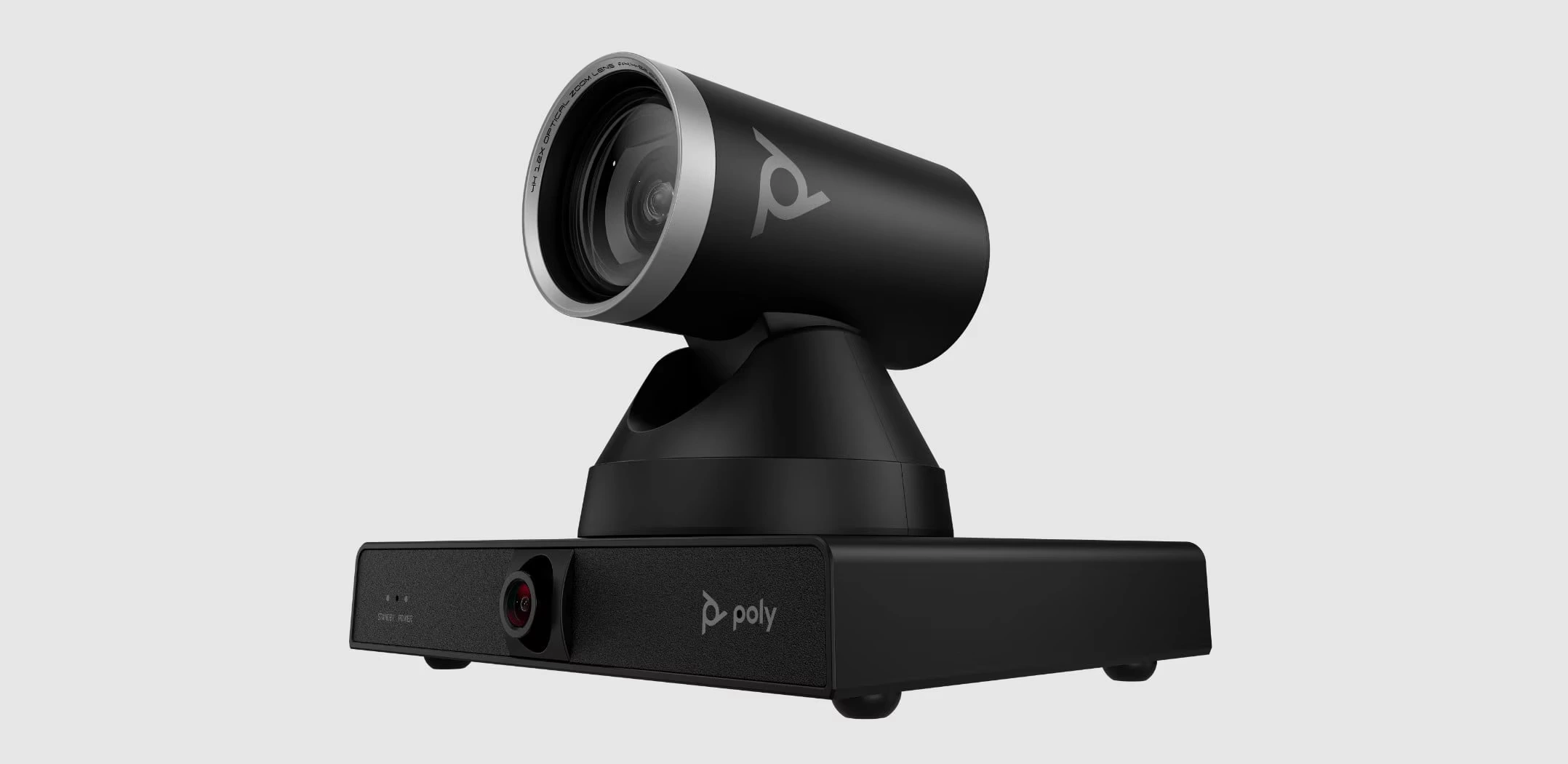
Poly Studio E60 is a professional smart mechanical PTZ camera designed for large meeting and conference rooms. It features 4K...
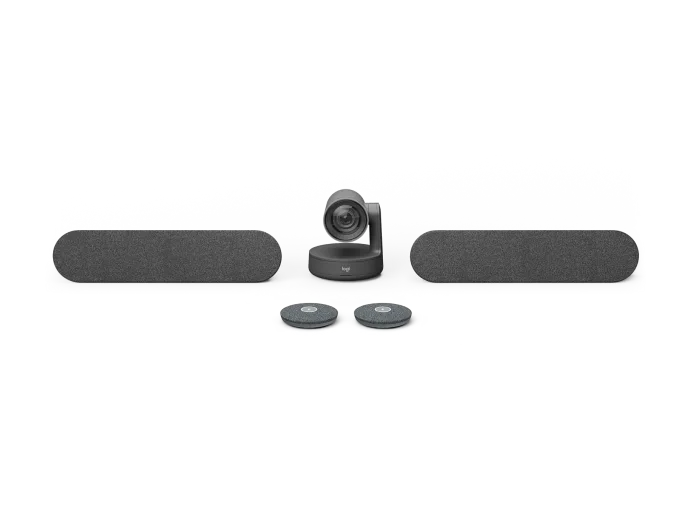
Logitech Rally Plus is a premium modular video conferencing system designed for large and extra-large meeting rooms. It combines a...
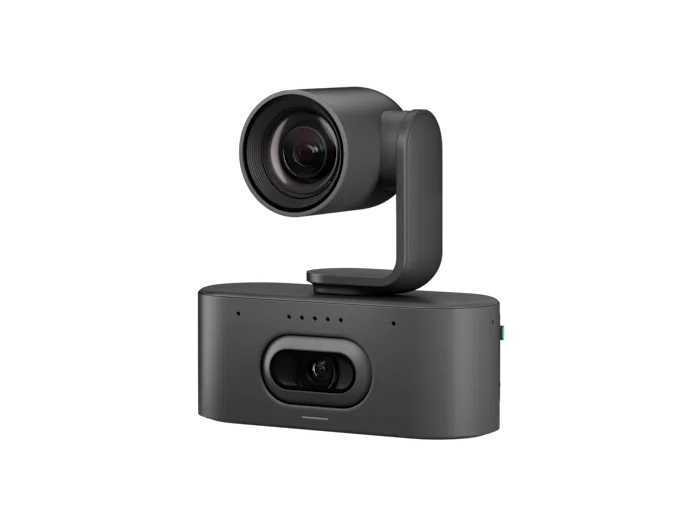
Logitech Rally AI Camera Pro is a premium 4K PTZ conference camera designed for large and complex meeting spaces. Its...