August 31, 2026 Mahender Mahender
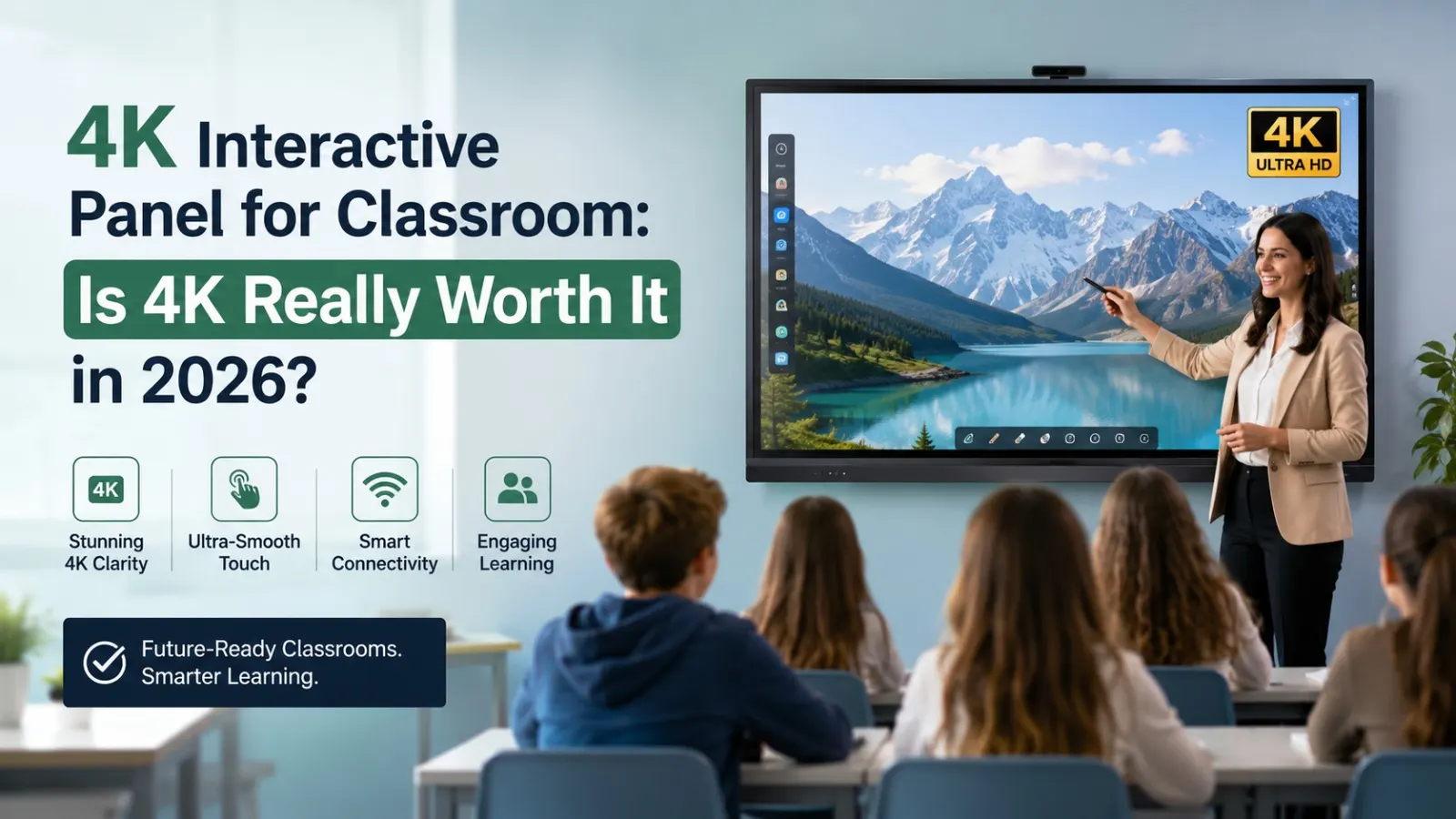
Choosing an interactive panel for a classroom is not simply a matter of selecting the biggest screen or the highest resolution. Schools also need to consider touch response, visibility, software, connectivity, installation, warranty and technical support.
One specification that frequently attracts attention is 4K resolution. Many modern interactive panels now offer 4K UHD displays, but does that extra resolution actually make a meaningful difference in classrooms?
For schools comparing a 4K Interactive Panel from Elactree, the answer depends on how the panel will be used, the classroom size, viewing distance, type of teaching content and overall budget. Elactree deals in interactive panels and related display solutions, giving schools an option to evaluate the panel as part of a complete classroom technology setup rather than looking at resolution alone.
Yes, a 4K interactive panel is generally worth considering for new classroom installations in 2026, especially for large screens, detailed educational content, presentations and high-resolution video.
However, 4K should not be the only purchasing criterion. A school should also evaluate touch accuracy, brightness, operating system, software compatibility, connectivity, installation, warranty and after-sales support.
If a school is comparing 4K Interactive Panel with other options, the best choice is the model that provides the right combination of display quality, interactive features, reliability and support for the school's actual requirements.

Feature | 4K Interactive Panel | Full HD Interactive Panel |
| Resolution | 3840 × 2160 pixels | 1920 × 1080 pixels |
| Pixel count | Approx. 8.3 million | Approx. 2.1 million |
| Image detail | Higher | Lower than 4K |
| Detailed diagrams | Excellent for compatible content | Adequate for many basic applications |
| 4K video | Suitable for native 4K display | Cannot display native 4K detail |
| Large screens | Particularly suitable | Depends on size and viewing distance |
| Classroom presentations | Excellent | Good |
| Cost | Depends on model/configuration | May be more budget-oriented |
| Long-term suitability | Strong option for new installations | Depends on requirements |
Exact specifications and features vary by manufacturer and model.
A 4K interactive panel is a large touchscreen display with a native resolution of 3840 × 2160 pixels that allows teachers and students to interact directly with digital content.
Unlike a conventional display, an interactive panel combines visual presentation with touch-based interaction. Teachers can write, draw, annotate documents, open applications, display videos and interact with educational material directly on the screen.
A 4K interactive panel can be used for:
The exact capabilities depend on the model, operating system and software supplied with the panel.
For schools evaluating interactive panels, the important point is to look beyond the 4K label and compare the complete specification of the selected model.
4K UHD generally means a resolution of 3840 × 2160 pixels.
That is four times the total pixel count of Full HD, which has a resolution of 1920 × 1080 pixels.
More pixels can produce greater image detail. This becomes particularly useful when displaying small text, detailed diagrams, photographs, maps or high-resolution videos on a large classroom screen.
However, a 4K display cannot improve the original quality of low-resolution content. The source material must also contain sufficient detail to take advantage of the display.
The value of 4K becomes clearer when considering what teachers actually display.
Teachers frequently display presentations, documents, tables and educational material containing small text.
A higher-resolution display can make fine details appear sharper, particularly on larger panels.
This can be useful for:
The difference can be less noticeable with very simple slides containing large text.
Some subjects depend heavily on visual information.
For example, a teacher may display:
A 4K panel provides more pixels for displaying this type of content.
If a school uses 4K video content, a 4K interactive panel can display the material at its native resolution, provided the source device, software and connection support the required specifications.
This can be useful for science demonstrations, geography lessons, training videos and other visually detailed material.
Resolution becomes particularly relevant as screen size increases.
A large interactive panel needs enough pixels to maintain clear detail across the display. This is one reason 4K is commonly considered when schools purchase large-format interactive panels.
No. Not every classroom needs 4K.
A classroom primarily used for basic presentations, digital writing and standard documents may not experience a major practical difference between 4K and a lower-resolution display.
4K becomes more attractive when:
Schools should therefore assess the actual classroom environment before deciding.
The answer depends on what is meant by "better."
If the comparison is specifically about display resolution, 4K provides substantially more pixels than Full HD.
But an interactive panel has several other performance characteristics.
A lower-resolution panel with excellent touch response, appropriate brightness and good software may provide a better classroom experience than a 4K panel with poor touch performance or inadequate support.
For schools purchasing from Elactree, the comparison should therefore cover the complete product specification rather than resolution alone.
Classrooms often have windows, ceiling lights and other sources of ambient light.
A panel needs sufficient brightness for students to read content comfortably from different areas of the room.
Do not judge brightness only from a product brochure. If possible, ask for a product demonstration in a classroom-like environment.
A large classroom may have students viewing the screen from the sides.
Check whether text, images and colours remain clear when viewed away from the centre of the panel.
The correct size depends on classroom dimensions, seating layout and viewing distance.
A very large screen is not automatically better if the room cannot accommodate it appropriately.
No. 4K resolution and touch performance are separate specifications.
4K describes the number of pixels used to create the image. Touch performance depends on the panel's touch technology, sensors, firmware and software.
During product demonstration, schools should test:
Teachers should be able to write naturally without needing to repeatedly correct or recalibrate the panel.
The operating system determines how teachers access applications, browsers, files and other digital resources.
Depending on the model, an interactive panel may offer an integrated operating system and support external computing solutions.
Schools should verify:
If the school already uses specific teaching applications, those applications should be tested before purchase.
It depends on the exact model and available ports.
Schools should check whether the selected interactive panel supports the connections they currently use, such as HDMI, USB or USB-C, along with network and wireless screen-sharing requirements where applicable.
During a demonstration, connect an actual teacher laptop rather than relying only on the supplier's demonstration device.
This helps identify potential compatibility issues before installation.
A 4K interactive panel can provide a detailed display for digital teaching material, but it does not independently determine the quality of an online or hybrid classroom.
The complete setup may also include:
If a school is planning hybrid classrooms, Elactree or the selected supplier should be asked to demonstrate the complete workflow rather than only the panel display.
A school should not purchase an interactive panel based on resolution alone.
Touch response is central to digital teaching.
Check the manufacturer's stated touch capabilities and test writing directly on the panel.
If the panel includes an integrated operating system, processor, RAM and storage specifications can affect application performance.
The exact requirements depend on how teachers intend to use the panel.
Check the ports and wireless connectivity needed by the school.
Important connections may include:
The exact port configuration varies by model.
Built-in speakers can be useful for classroom videos and presentations.
However, large rooms may require additional audio equipment depending on room size and acoustics.
The software used for digital writing can have a significant impact on everyday teaching.
Teachers should test:
Elactree deals in interactive panels and classroom display solutions, making it relevant for schools looking to source interactive display technology along with installation and support requirements.
For a school, buying an interactive panel should not end with selecting a model from a specification sheet.
The supplier's role can matter before and after installation.
When evaluating an Elactree interactive panel, schools should discuss:
The appropriate screen size, resolution, operating system and configuration should be selected according to the classroom.
A live demonstration allows teachers and IT teams to test writing, touch response, display quality and connectivity.
The school should confirm how installation will be handled, including mounting requirements and basic setup.
Teachers may need guidance on whiteboarding tools, annotation, screen sharing and other panel functions.
The school should understand exactly what is covered under the manufacturer's or supplier's warranty.
Ask how technical problems are reported and how service requests are handled after installation.
These factors can be just as important as the display resolution when an institution is purchasing multiple interactive panels.
There is no single fixed price for a 4K interactive panel in India.
The final quotation can vary according to:
For this reason, schools should request a detailed quotation from Elactree or other suppliers and compare equivalent configurations.
A quotation should ideally identify what is included rather than presenting only a single panel price.
For example, two apparently similar quotations may differ because one includes installation and training while another does not.
Before finalising an order, procurement teams can ask the following questions:
The exact answers should be confirmed for the selected model and included in the commercial documentation wherever appropriate.

Before purchasing, follow a practical evaluation process.
Measure the room and consider:
Choose a screen that allows students at the back of the room to read content comfortably.
Consider whether teachers mainly use:
Ask Elactree or the supplier for a live demonstration.
Test the panel with actual teaching material where possible.
Connect the school's existing laptop or computer.
Test the required ports and wireless features.
Make sure the included software fits the teachers' workflow.
Do not compare only the purchase price.
Review warranty, installation, training and support conditions.
Compare equivalent configurations from different suppliers.
A lower initial quotation is not necessarily the better overall purchase if important services or accessories are excluded.
A school should strongly consider 4K when it is purchasing a large interactive display for long-term use and expects to use detailed digital content.
It is particularly suitable for:
A 4K panel may be less important when the primary requirement is basic digital writing and presentation on a smaller screen and the available budget is highly constrained.
There are situations where other specifications deserve more attention.
For example, if a school must choose between:
Panel A: 4K resolution but weaker touch performance and limited support
and
Panel B: lower resolution but better touch response, suitable brightness, software compatibility and stronger service coverage,
Panel B may be the more practical classroom purchase.
The goal should be to buy a well-balanced interactive panel, not simply the panel with the highest specification in one category.

Before approving the purchase, verify:
For most schools purchasing a new large-format interactive panel, 4K is a worthwhile specification in 2026. It provides substantially greater image detail than Full HD and is especially useful for large screens, detailed educational material and compatible high-resolution video.
But the smartest purchase is not necessarily the panel with the highest resolution.
For schools considering a 4K Interactive Panel from Elactree, the decision should be based on the complete product and service package: display quality, touch response, software, connectivity, installation, warranty, training and after-sales support.
If 4K is available without sacrificing these essential factors, it is a strong choice for a new classroom installation. If selecting 4K requires compromising significantly on touch performance, software compatibility or support, the school should reconsider its priorities.
In short: 4K is worth it when the classroom can use its advantages. The best interactive panel is the one that combines suitable resolution with dependable touch, useful software, appropriate hardware and reliable support.
A 4K interactive panel is a touchscreen display with a native resolution of 3840 × 2160 pixels. It allows users to display, write on and interact with digital classroom content.
Yes, particularly for large classrooms and schools using detailed visual content or high-resolution video. However, schools should evaluate touch performance, software and support alongside resolution.
4K makes the display capable of showing more image detail, but it does not automatically make the entire interactive panel better. Touch, brightness, software and connectivity also affect classroom performance.
Yes, in terms of resolution and image detail. 4K has four times the pixel count of Full HD and is particularly useful on large displays.
No. Resolution and touch accuracy are separate specifications. Touch performance depends on the touch hardware, sensors, firmware and software.
Yes, provided the panel and connected source support the required 4K resolution, format, refresh rate and connection standard.
Schools should check screen size, resolution, brightness, touch performance, operating system, software, connectivity, installation, warranty, training and after-sales support.
There is no fixed price. Cost depends on screen size, manufacturer, hardware, touch technology, operating system, software, accessories, installation and warranty.
Elactree deals in interactive panels and related display solutions. Schools can evaluate the appropriate model, request a demonstration and discuss installation, warranty and support requirements before purchasing.
Yes. A 4K interactive panel can be suitable for smart classrooms, particularly where teachers use digital presentations, videos, diagrams, web content and interactive learning resources.
Yes. A live demonstration allows teachers and IT teams to evaluate writing, touch response, display visibility, software and connectivity using practical classroom scenarios.
No. 4K is important for display detail, but it should be evaluated alongside touch performance, brightness, software compatibility, connectivity, installation, warranty and technical support.




 Interactive flat Panel
Interactive flat Panel
Interactive flat Panel
 Interactive flat Panel
 Interactive flat Panel
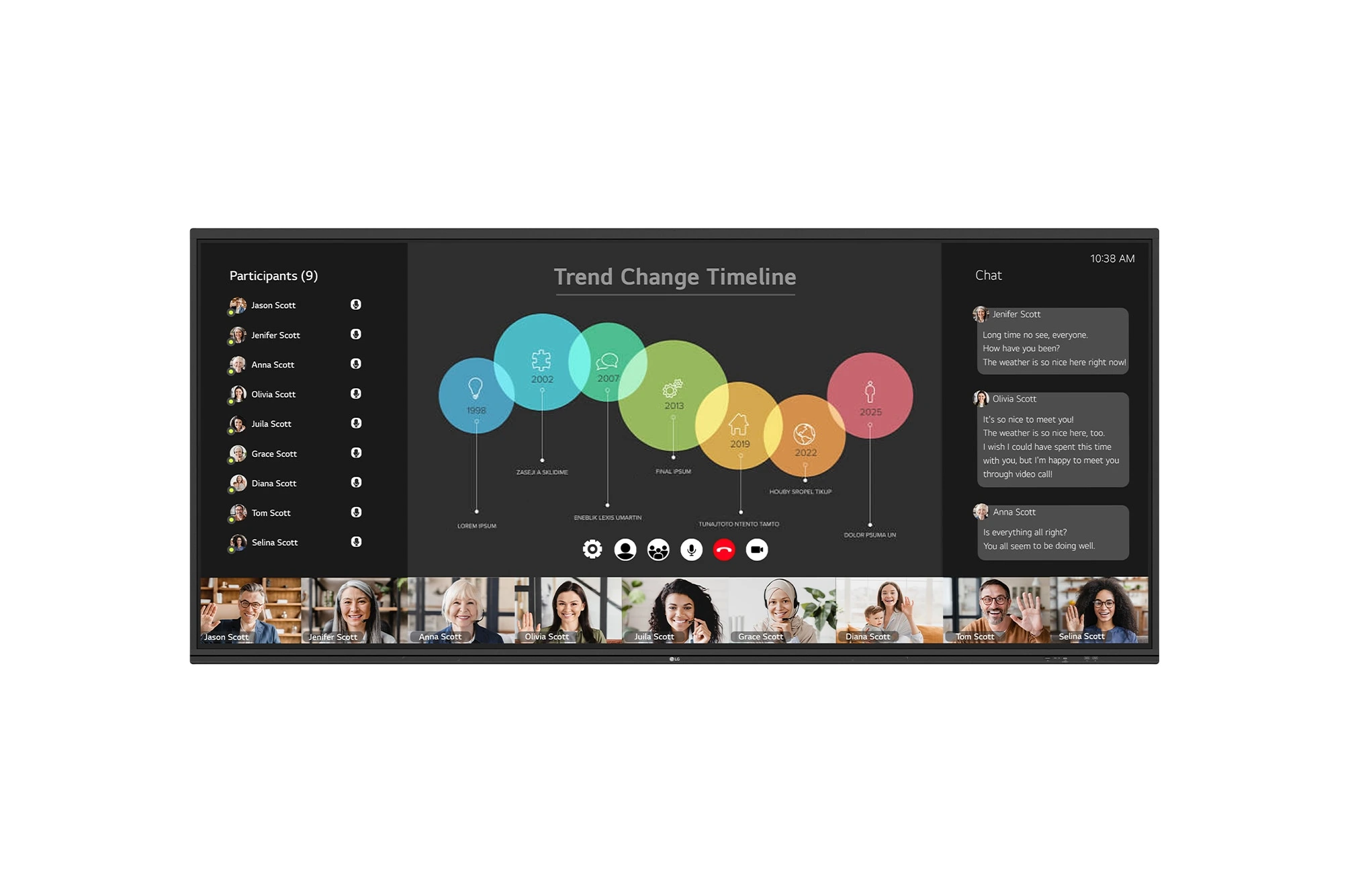
The LG CreateBoard 105TR5WP-I is a premium 105-inch 5K UltraWide (21:9) interactive display designed for modern meeting rooms, hybrid collaboration,...
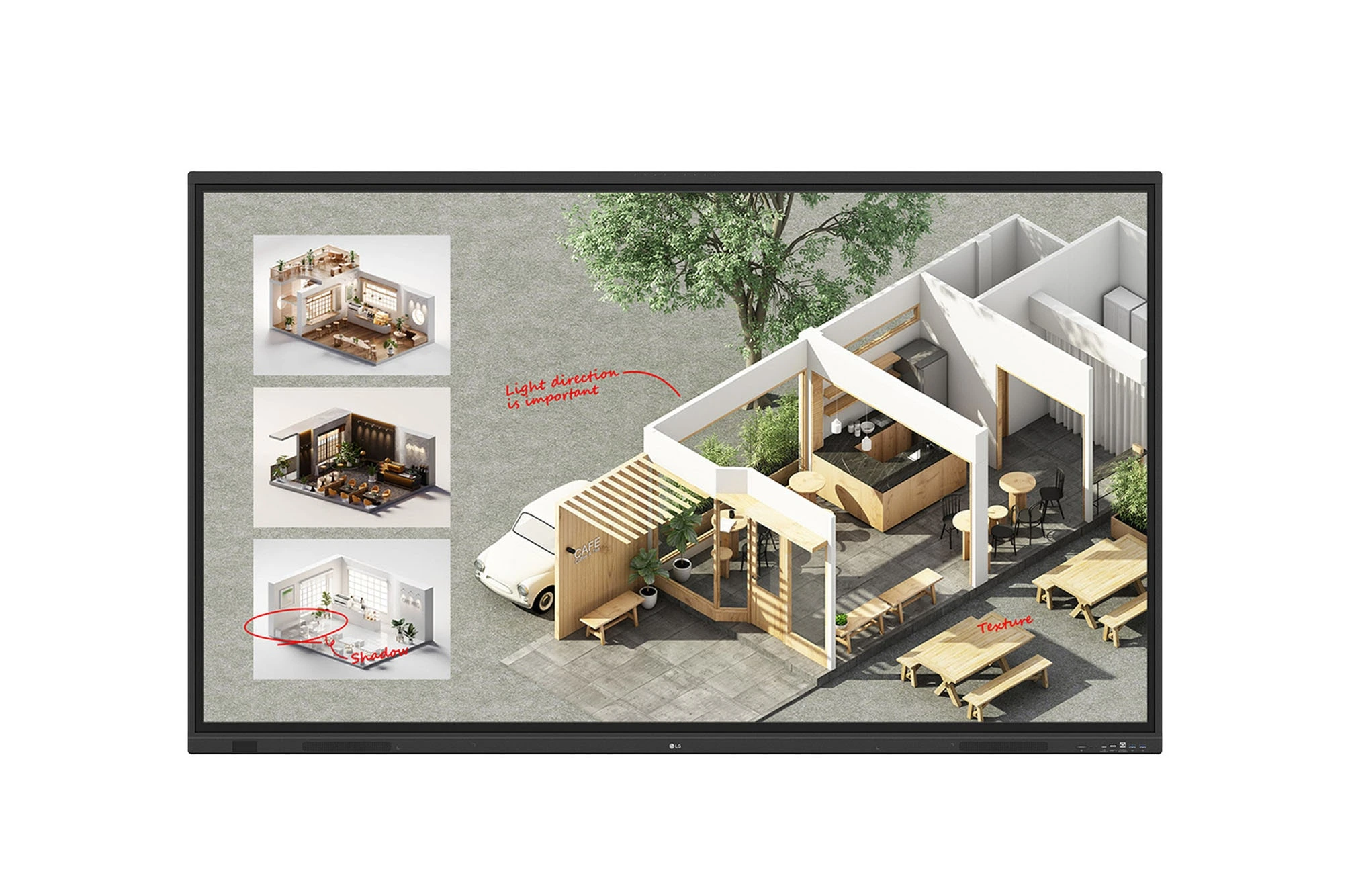
The LG CreateBoard Standard 86TR3DQ-I is an 86-inch 4K UHD Interactive Flat Panel Display designed for classrooms, corporate meeting rooms,...

The LG CreateBoard 86TR3ER-I is an 86-inch 4K UHD interactive flat panel designed for modern classrooms, corporate meeting rooms, and...

The LG CreateBoard 75TR3ER-I is a premium 75-inch 4K UHD Interactive Flat Panel designed for classrooms, training centers, and corporate...
